
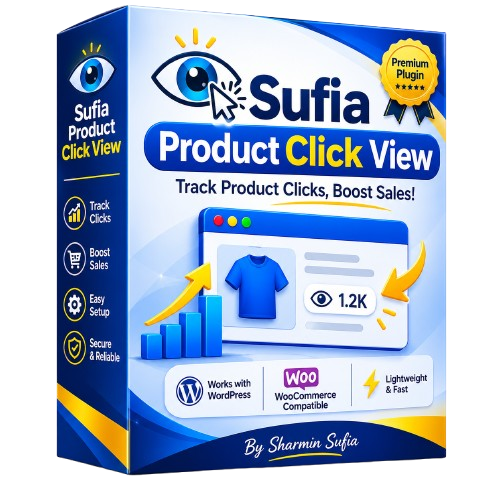
Show customers how many visitors are clicking on your WooCommerce products with Sufia Product Clicks.
This lightweight plugin tracks product clicks and displays a stylish click counter badge with an eye icon beside the product price. It works with WooCommerce, Elementor, and most WordPress themes.
Key Features:
300.00৳ Original price was: 300.00৳ .150.00৳ Current price is: 150.00৳ . 3
Want to know which products attract the most attention in your online store?
Sufia Product Clicks helps you track customer interactions with your WooCommerce products and display click counts directly on your website.
The plugin automatically counts product clicks and displays a clean, customizable badge with an eye icon next to the product price. This gives visitors a quick idea of which products are getting attention and helps you understand customer interest across your store.
Track visitor clicks on product cards, including product images, titles, and Add to Cart links or buttons. The plugin records clicks without requiring customers to log in.
Display the total click count beside your WooCommerce product price using a stylish badge with an eye icon.
Automatically display the click counter on supported WooCommerce product price areas, including shop pages, product pages, and Elementor price widgets.
Use the dedicated Product Clicks Badge widget to place the counter anywhere in your Elementor layouts. Choose the current product or enter a specific product or page ID.
Place the click counter anywhere your theme or page builder supports shortcodes.
Shortcode:
3
To display the counter for a specific product:
Replace 123 with your product or page ID.
Customise the counter to match your website design.
Enable the additional tracking option to count visitors who open a product page directly, such as through Google search results or shared links.
Avoid repeated counting from the same visitor within a configurable time window. You can also exclude administrator clicks from the statistics.
The plugin detects visitor IP addresses behind trusted Cloudflare IP ranges. It is designed to work with Cloudflare, with the required AJAX and firewall settings configured correctly.
Built-in bot filtering, same-site request checks, and rate limiting help reduce automated or abusive tracking requests.
Refresh displayed counter values after the page loads, helping visitors see updated numbers even when your website uses page caching.
View product interaction statistics from your WordPress dashboard.
WooCommerce is optional when using the shortcode or Elementor widget with supported post types.
Sufia Product Clicks does not send tracking data to external services. It stores click counts for products and uses short-lived, one-way hashed visitor tokens to help prevent duplicate counting. Raw IP addresses are not stored by the plugin.
Understand which products attract attention and display product click counts directly in your WooCommerce store with Sufia Product Clicks.